Connector catalog › Virtualization

Virtualization

XCP-ng (Xen Orchestra)

Your XCP-ng pools through the Xen Orchestra REST API: hosts, VMs, snapshots, storage and backups.

Install it from HexaConnect's Connectors view.

Discovery

What you see

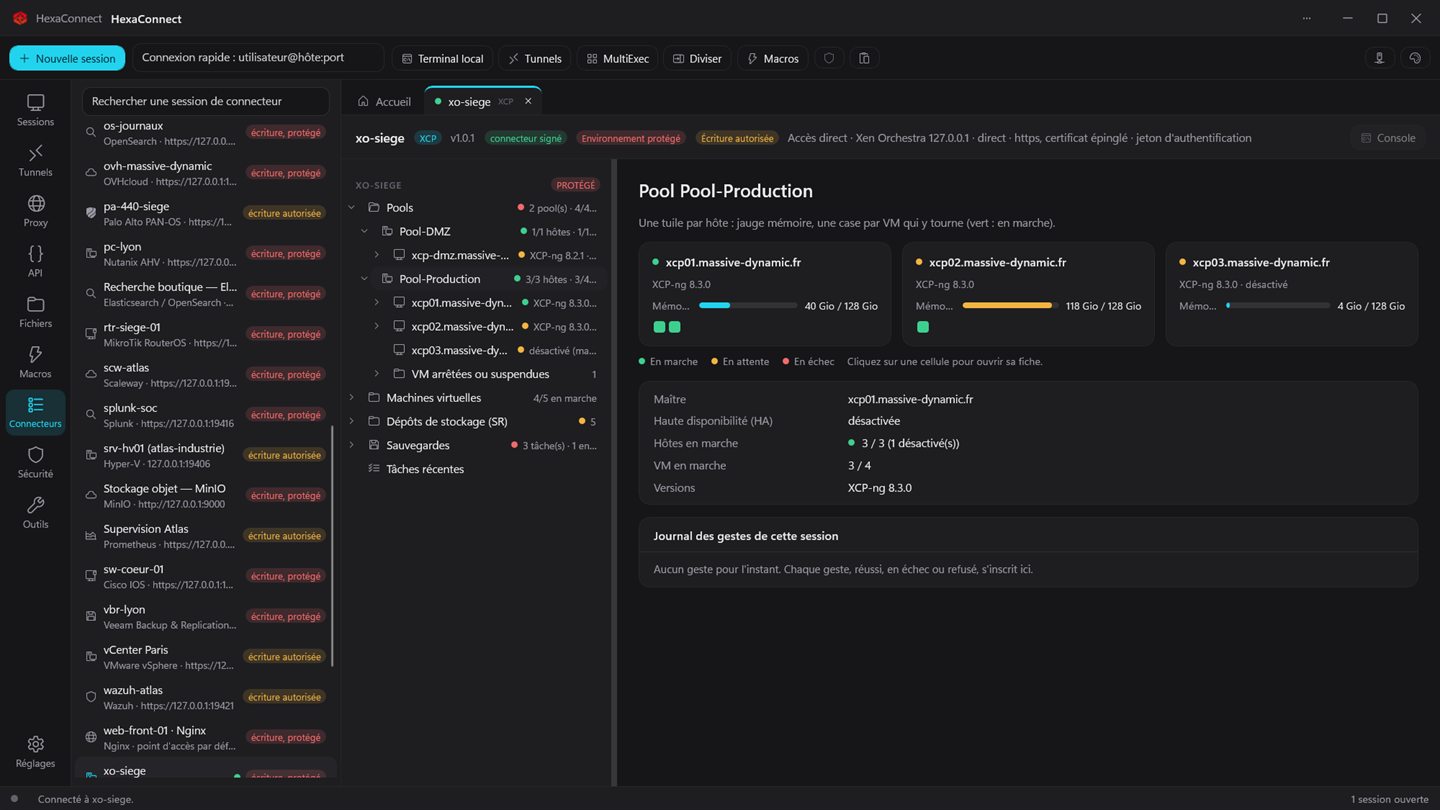
  • Pool map: one tile per host with its memory gauge, one box per VM
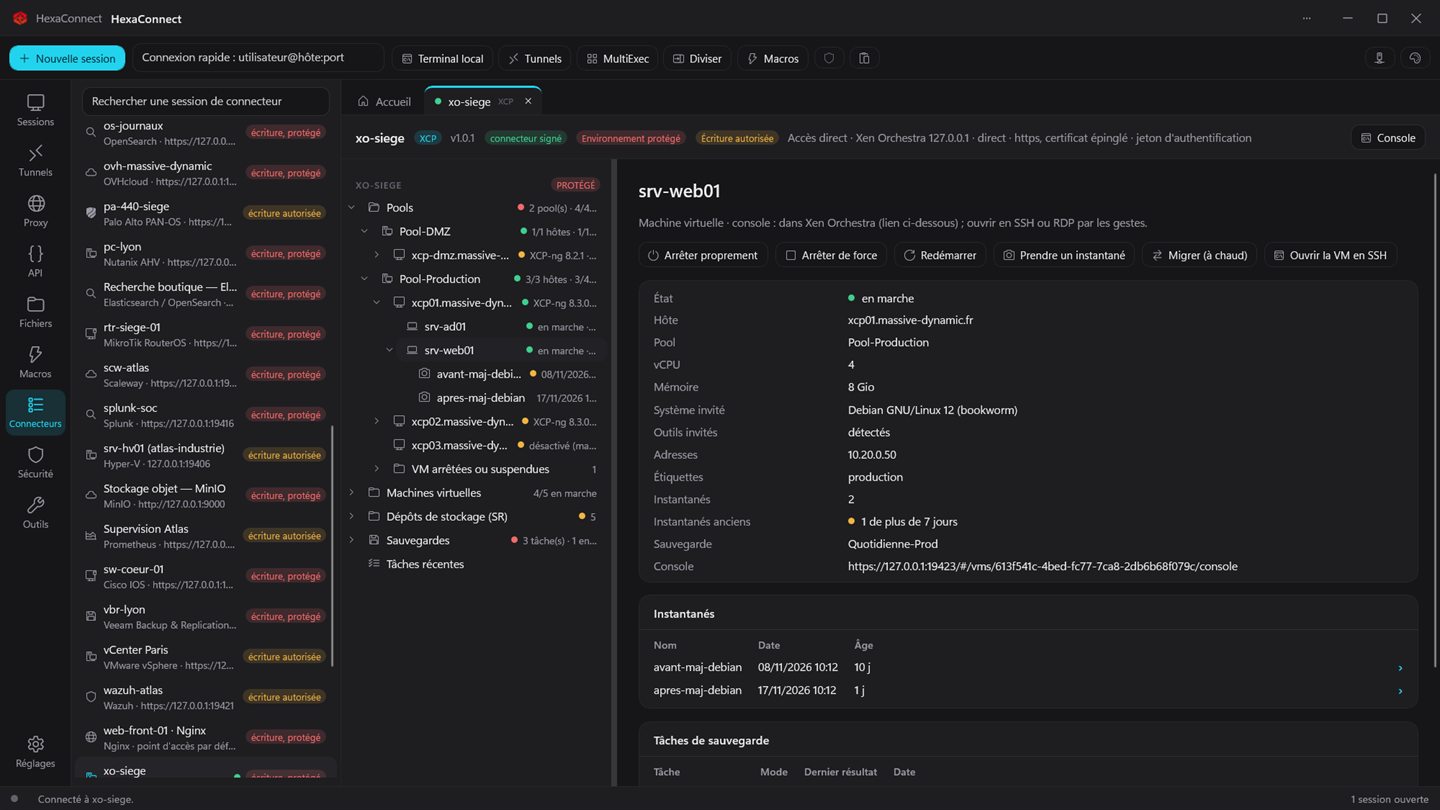
  • Hosts: version, missing patches, reboot required; VMs: resources, guest tools, addresses, snapshots, console link
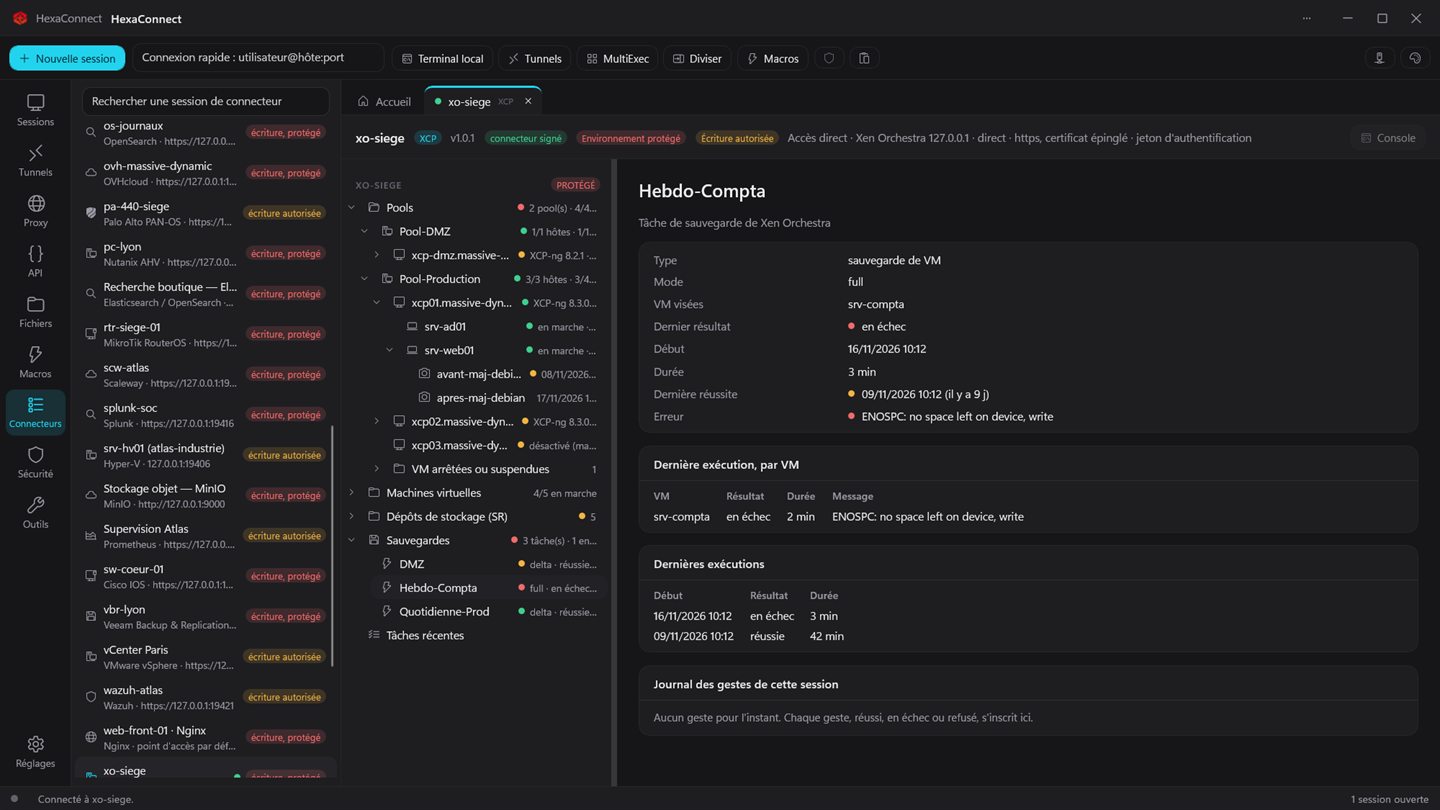
  • Storage repositories and their usage; backup jobs and their last result, VM by VM
  • Audit: unsupported XCP-ng, uninstalled patches, failed or missing backups, old snapshots, full SRs, pools without HA
Pro

Everyday actions

  • Start, shut down cleanly or force, reboot, live-migrate within the pool, always confirmed
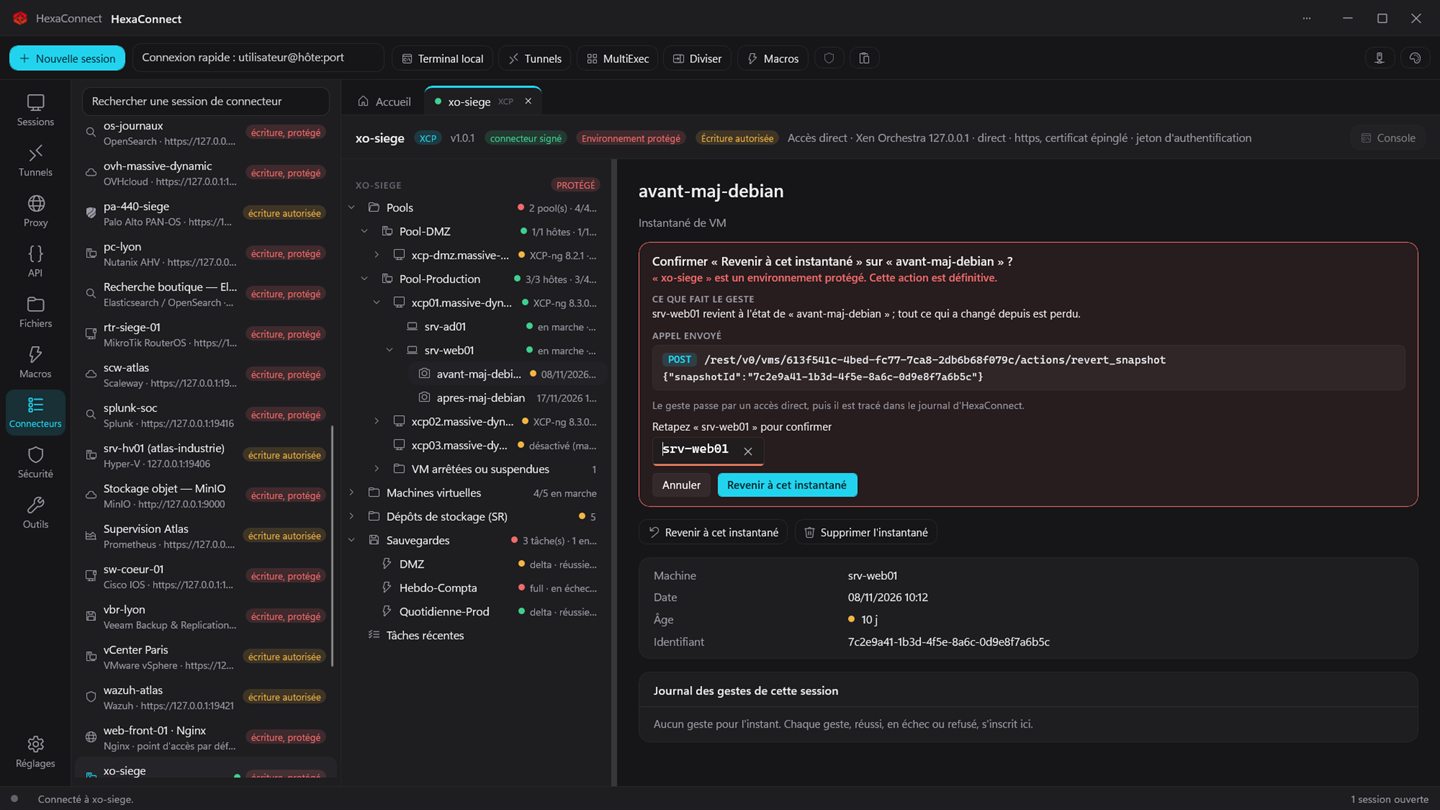
  • Take, revert to or delete a snapshot (retype the VM name to revert or delete)
  • Open the VM over SSH or RDP through your HexaConnect sessions

Plan

Read with Discovery, actions with Pro or Enterprise.

Available

Driver and license

No third-party driver: Massive Dynamic code.

Documentation

Recommended account

A dedicated Xen Orchestra user and its authentication token, kept in the vault and sent only as a cookie: Viewer ACLs on the pools to read, Operator on the VMs concerned for actions. Migration: Xen Orchestra 6.2 or later.

Connector documentation →

Trademarks mentioned belong to their respective owners; their mention implies neither partnership nor endorsement.