Connector catalog › Virtualization

Virtualization

Scaleway

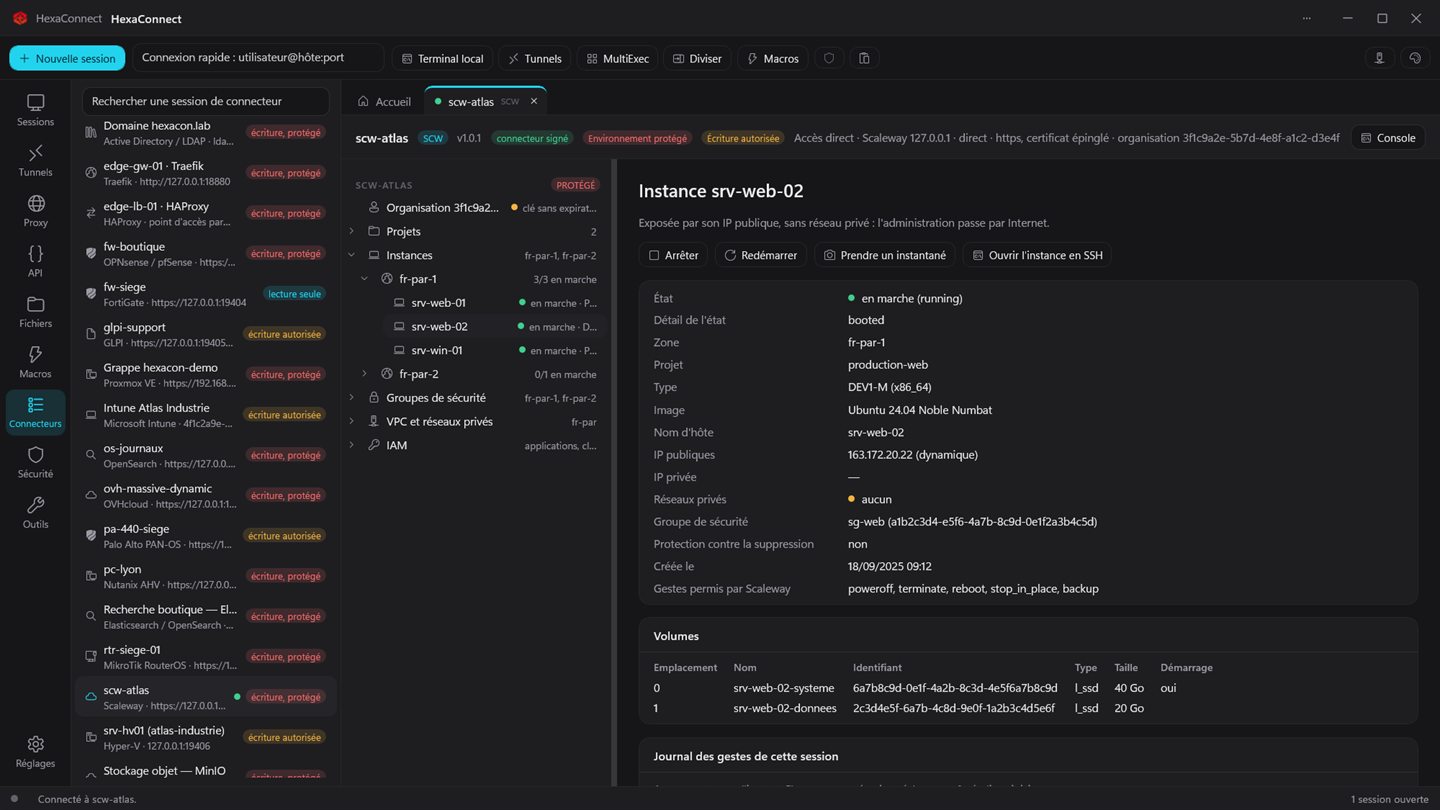
Your Scaleway instances, their security groups, VPCs and IAM rights in HexaConnect.

Install it from HexaConnect's Connectors view.

Discovery

What you see

  • Instances by zone: state, type, image, public and private IPs, volumes, security group
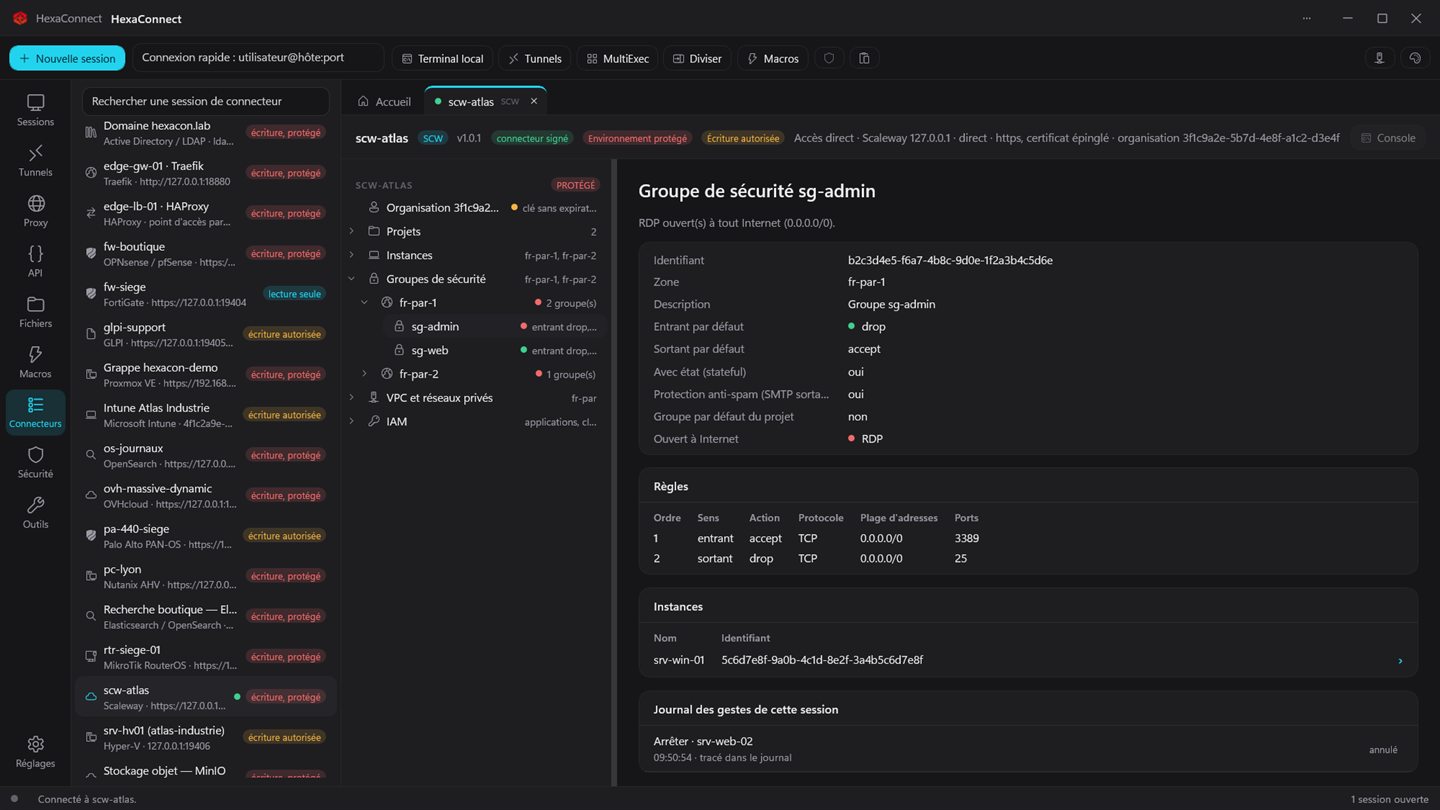
  • Security groups: default policies and rules in order, SSH or RDP open to the whole Internet flagged
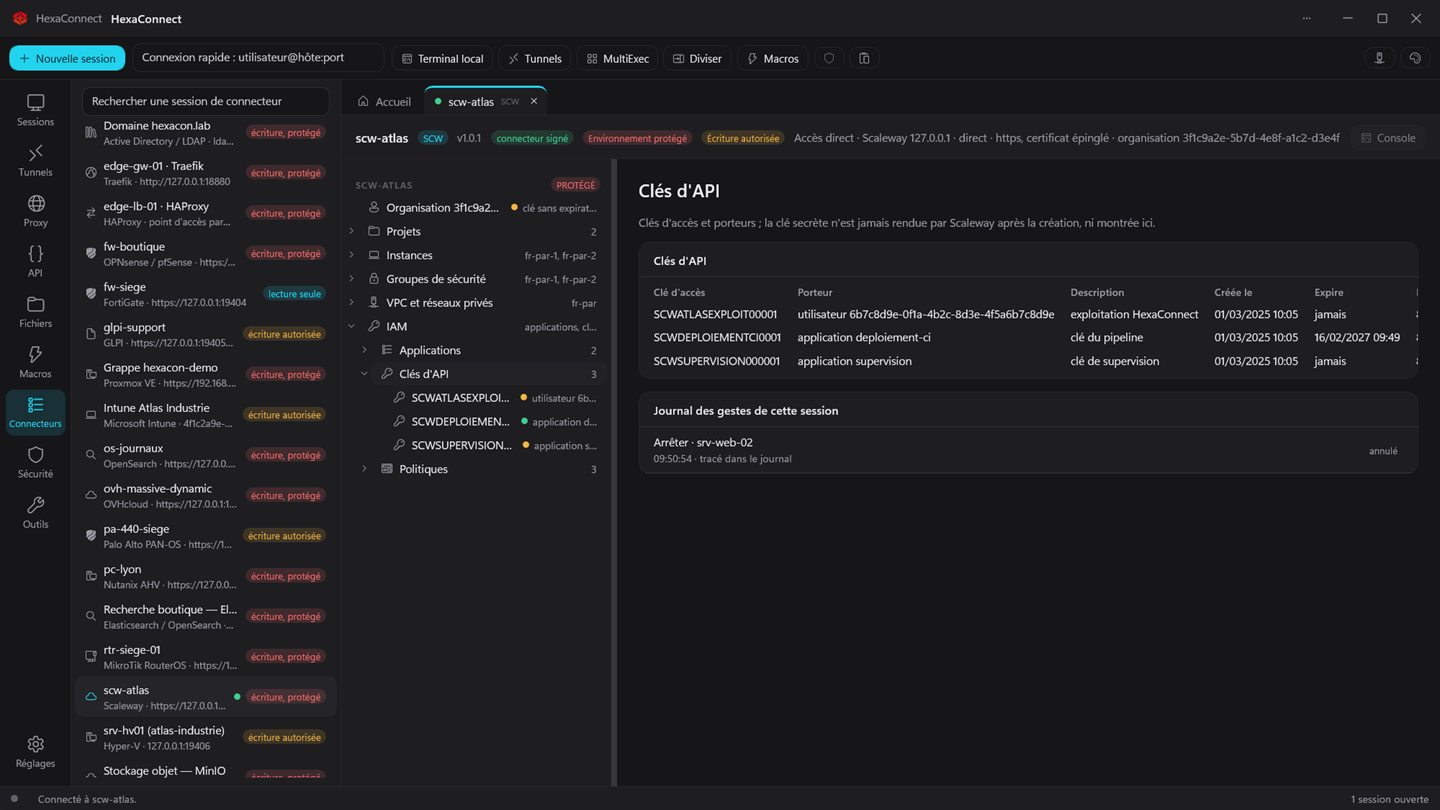
  • VPCs and private networks; IAM: applications, API keys (never a secret), policies
  • Audit: SSH or RDP open to the Internet, "accept" inbound policy, keys without expiry, applications with overly broad rights
Pro

Everyday actions

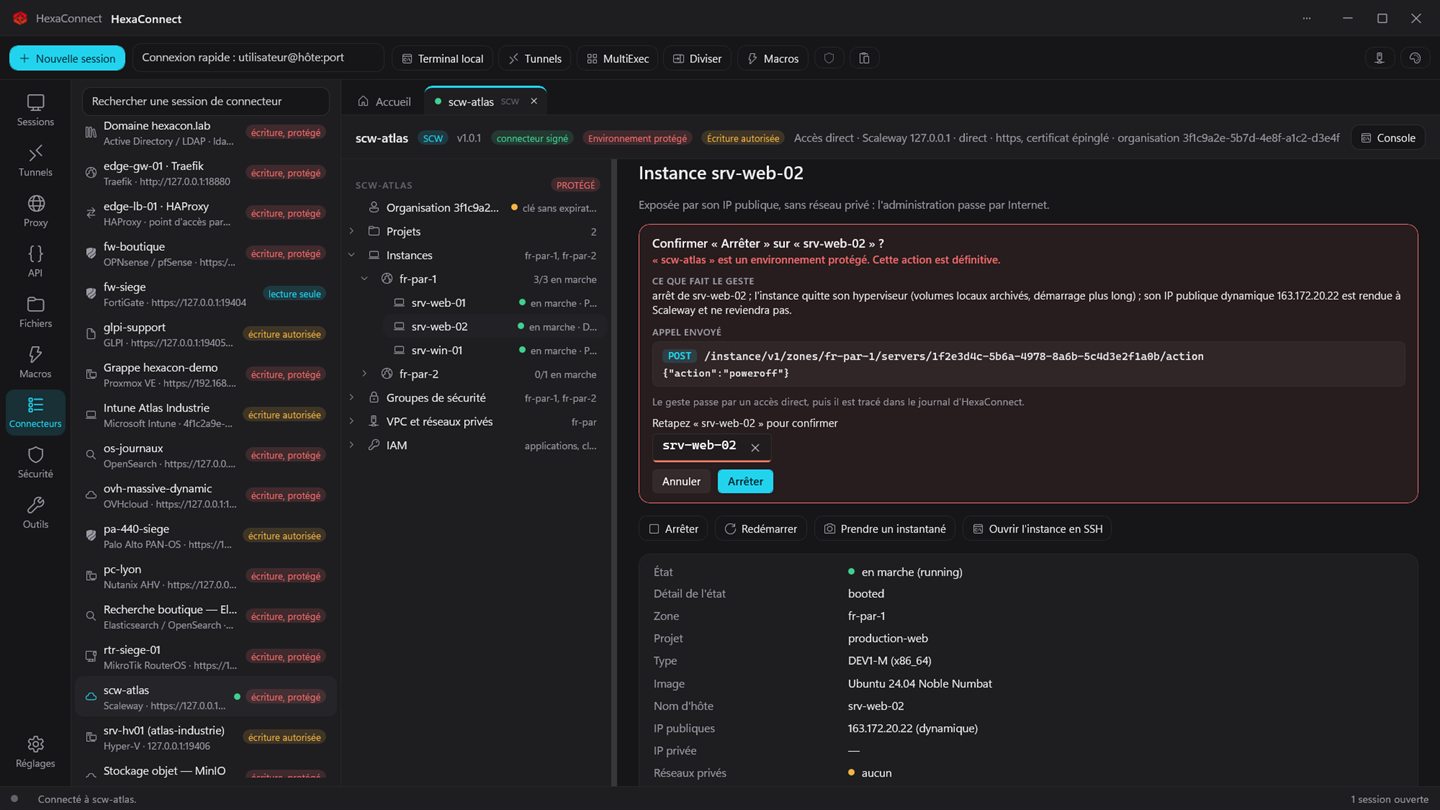
  • Start, stop, reboot an instance; a stop that releases a dynamic IP asks for the name in production
  • Snapshot of a local or block volume, always confirmed, exact call in the preview
  • Open the instance over SSH or RDP

Access

Secret key in the vault, sent in a header only; direct access or through an SSH session.

Plan

Read with Discovery, actions with Pro or Enterprise.

Available

Driver and license

No third-party driver: Massive Dynamic code.

Documentation

Recommended account

A dedicated IAM application with InstancesReadOnly, VPCReadOnly, ProjectReadOnly and IAMReadOnly to read; for actions, InstancesFullAccess (and BlockStorageFullAccess for block volumes) on the chosen projects only; an API key with an expiry date.

Connector documentation →

Trademarks mentioned belong to their respective owners; their mention implies neither partnership nor endorsement.