Connector catalog › Virtualization

Virtualization

VMware vSphere

Your vCenter inside HexaConnect: inventory, VMs, snapshots and vMotion, with no heavy client.

This connector will be available once testing with our customers is complete.

Being tested with our customers

Built and checked against a demo server that follows the vendor's documentation; testing on real installations is under way. What the labels mean

Discovery

What you see

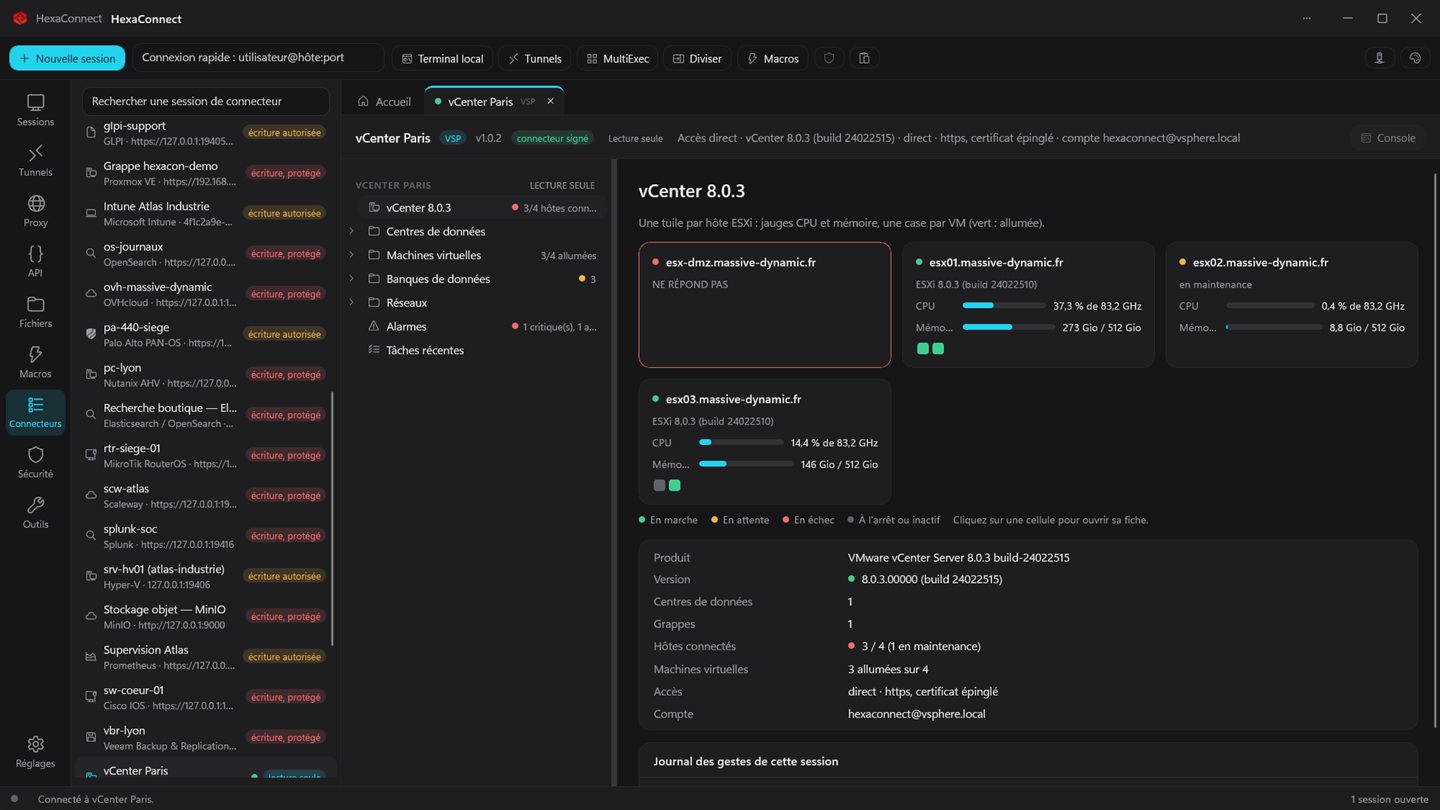
  • ESXi host map: CPU, memory and one cell per VM
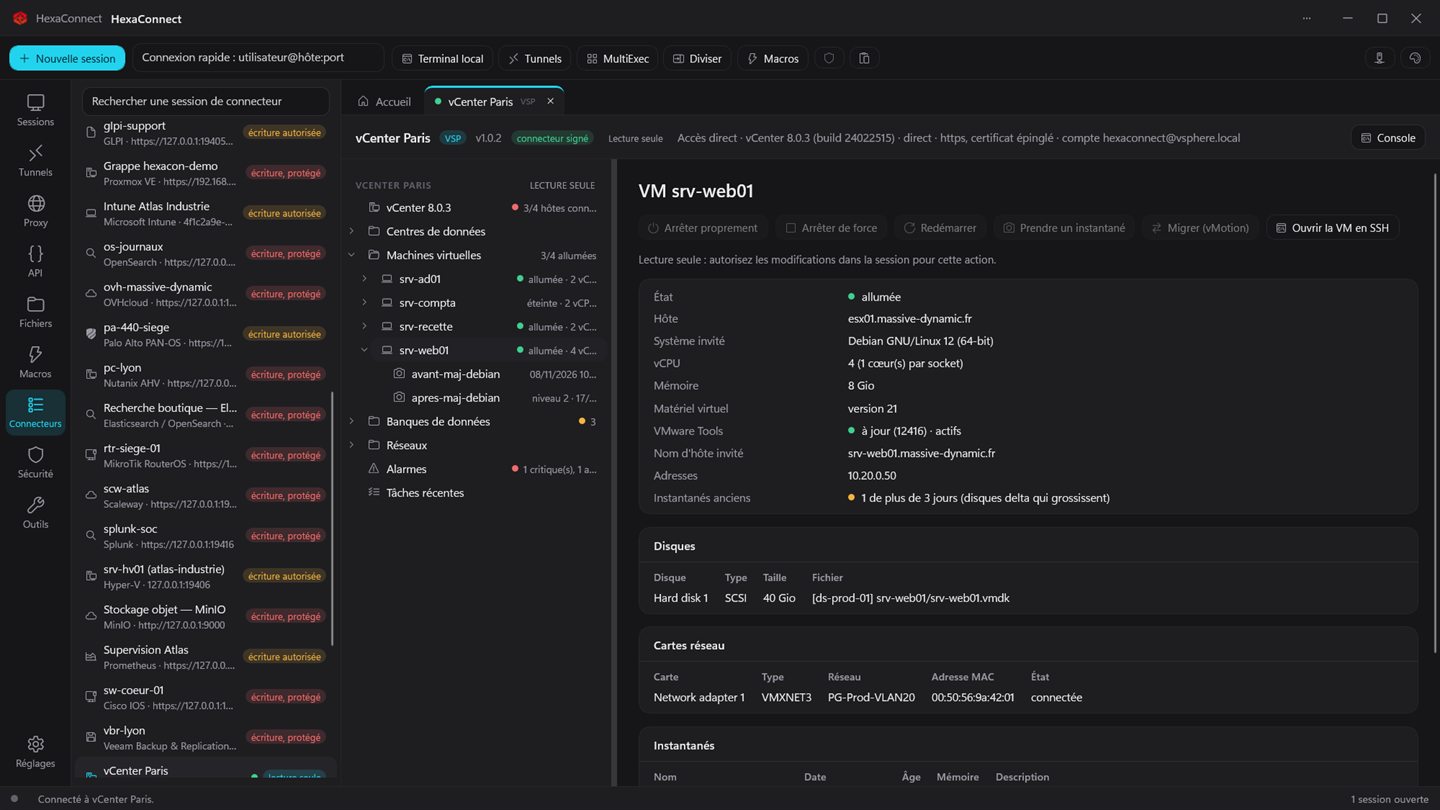
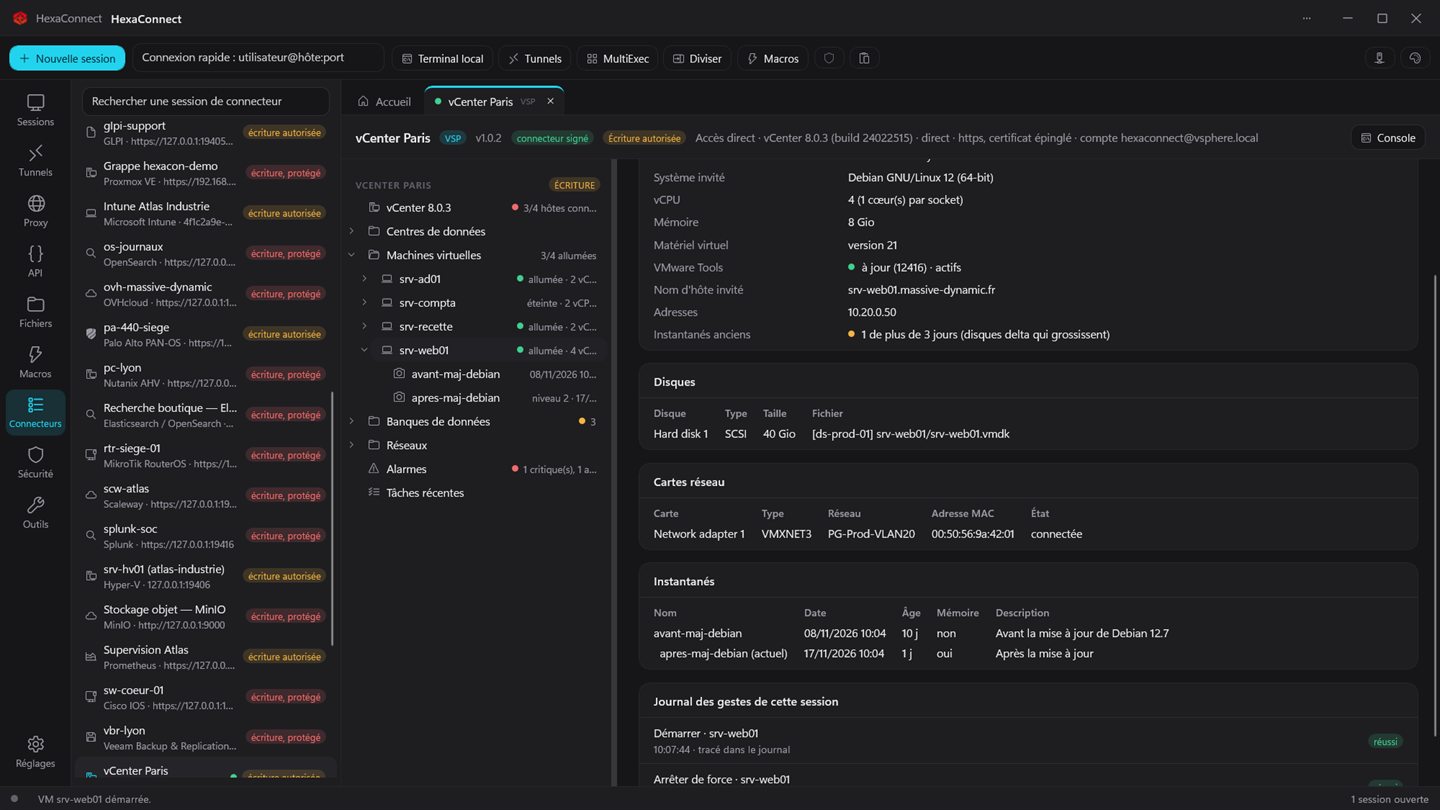
  • VM details: resources, VMware Tools, addresses, disks, network adapters, snapshots
  • Security audit: unsupported versions, SSH on hosts, old snapshots, full datastores, administrator@vsphere.local account
  • Triggered alarms and recent tasks
Pro

Everyday actions

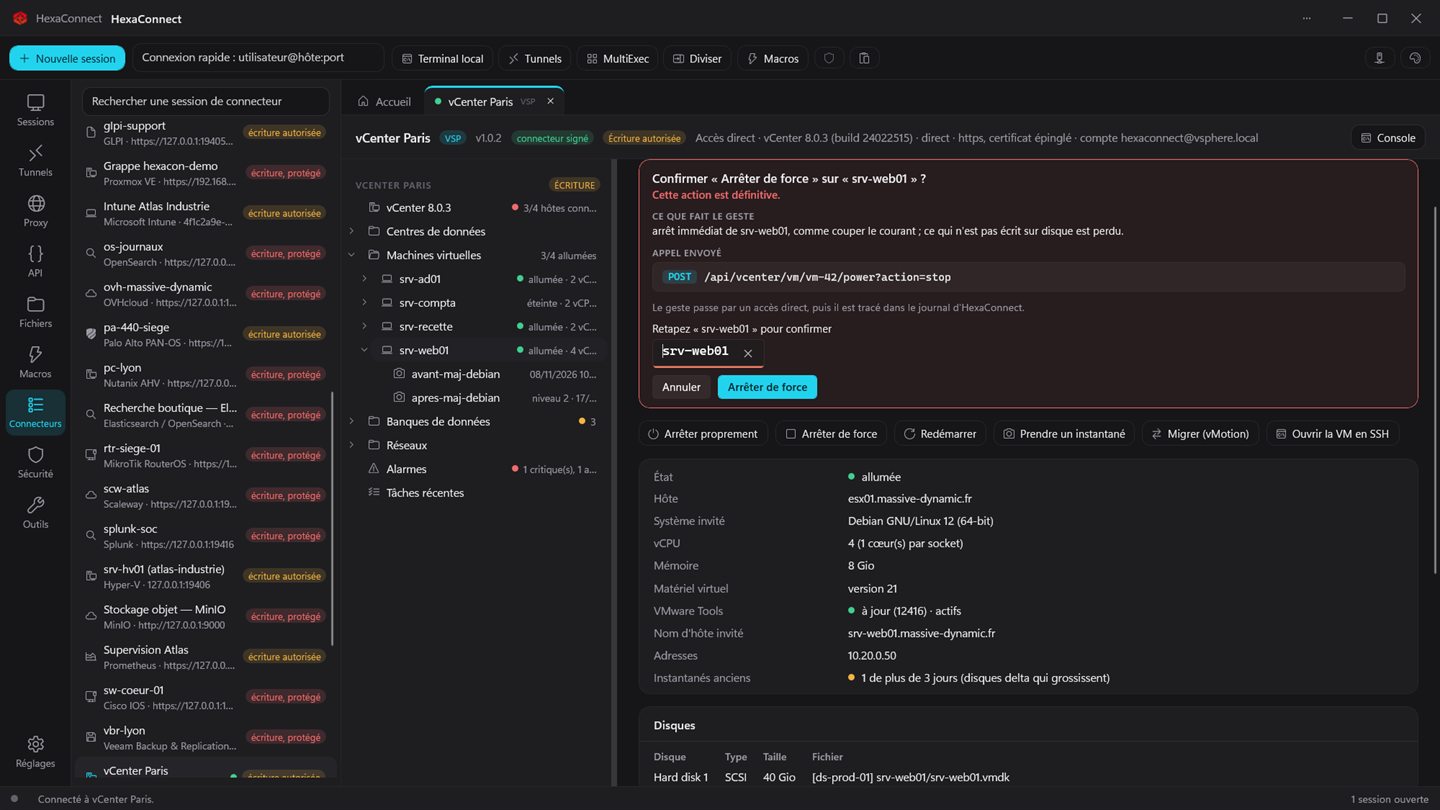
  • Power on, shut down, restart, snapshot and vMotion, with confirmation and a preview of the exact call
  • Open the VM over RDP or SSH through your HexaConnect sessions

Plan

Read with Discovery, actions with Pro or Enterprise.

Available soonBeing tested with our customers

Driver and license

No third-party driver: Massive Dynamic code.

Documentation

Recommended account

A dedicated vCenter account; Read-only role to read; a dedicated actions role (VM interaction, snapshot management, migration) to act.

Connector documentation →

Trademarks mentioned belong to their respective owners; their mention implies neither partnership nor endorsement.