What you see
- Environments (Docker, agent, Edge; Kubernetes flagged) and their details
- Compose and Swarm stacks with their file and masked variables
- For each Docker environment: containers, images, volumes, networks, details and logs
Connector catalog › HexaConnect essentials

Environments and stacks of a Portainer server, and the whole Docker explorer through it.
Installable connector, signed by Massive Dynamic
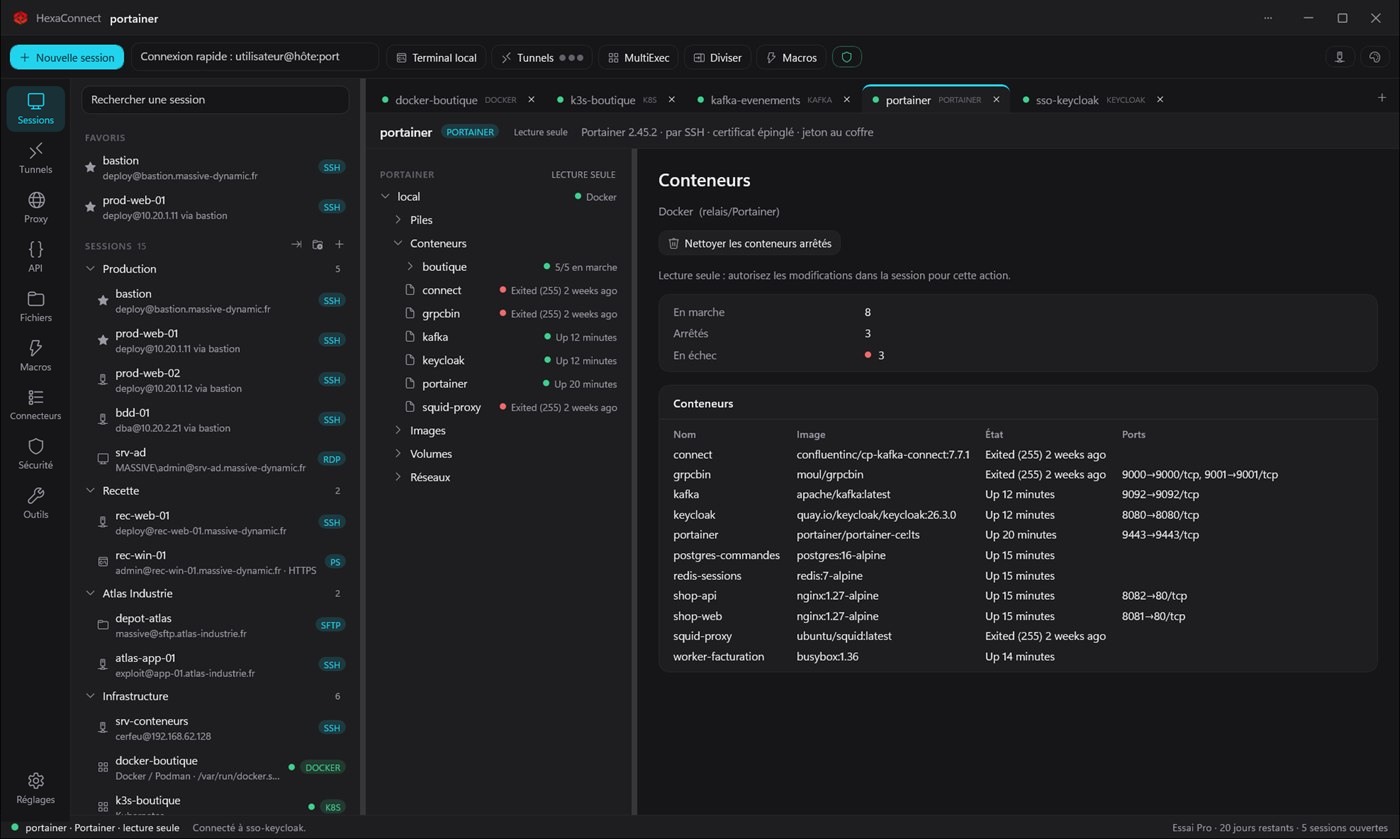
Each action requires allowing changes on the session, is confirmed and goes to the log (and to the SIEM if one is configured).
Container logs and shell, as in the Docker explorer.
Portainer API token kept in the Windows vault; self-signed certificate accepted only through a pinned SHA-256 fingerprint; direct or through an SSH session.
Read access with Discovery, actions with Pro or Enterprise. An Enterprise policy can enforce read-only.
Signed package, installed from the app (assistant, Settings or catalog) and updated through the catalog. A computer that used it received it with the HexaConnect update, sessions unchanged.
Creating a stack is not offered. Portainer is also audited read-only by the Security tab.
 To install
Containers, images, volumes and networks of a Docker or Podman engine, on this computer or on a server.
Full details → To install
Nodes, namespaces, workloads, networking and configuration of a Kubernetes cluster, with kubectl's permissions.
Full details → To install
Brokers, topics, consumer groups, Kafka Connect and schema registry of a Kafka cluster.
Full details → To install
Realms, clients, users, groups and roles of a Keycloak server, with its security settings.
Full details → Built in
Your Guacamole connections in an isolated tab.
Full details →Trademarks mentioned belong to their respective owners; their mention implies neither partnership nor endorsement.