Connector catalog › Directories

Directories

Active Directory / LDAP

Domain, accounts, privileged groups and security analysis of Active Directory; generic LDAP directories.

Install it from HexaConnect's Connectors view.

In pictures

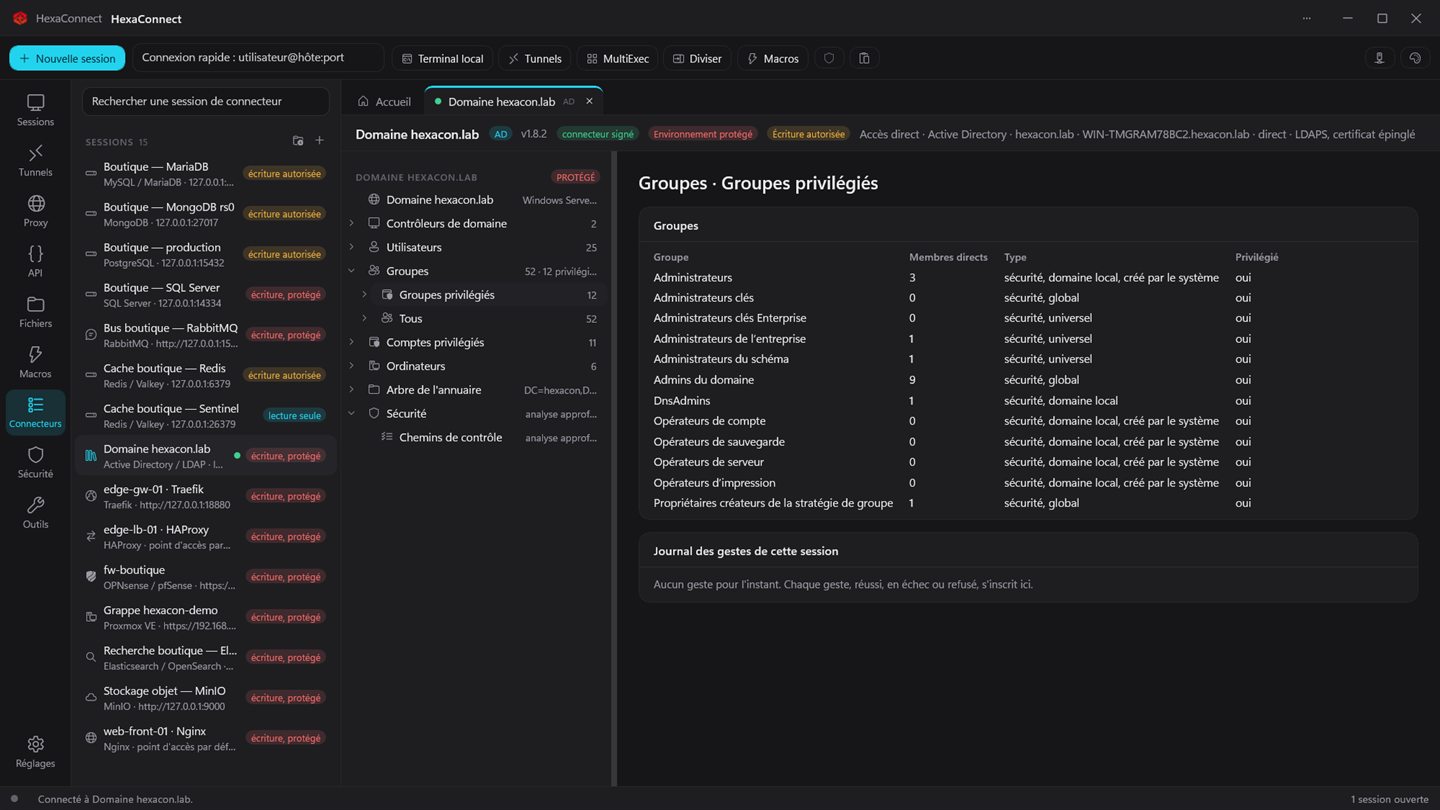
Active Directory / LDAP : Privileged groups and members
Privileged groups and members
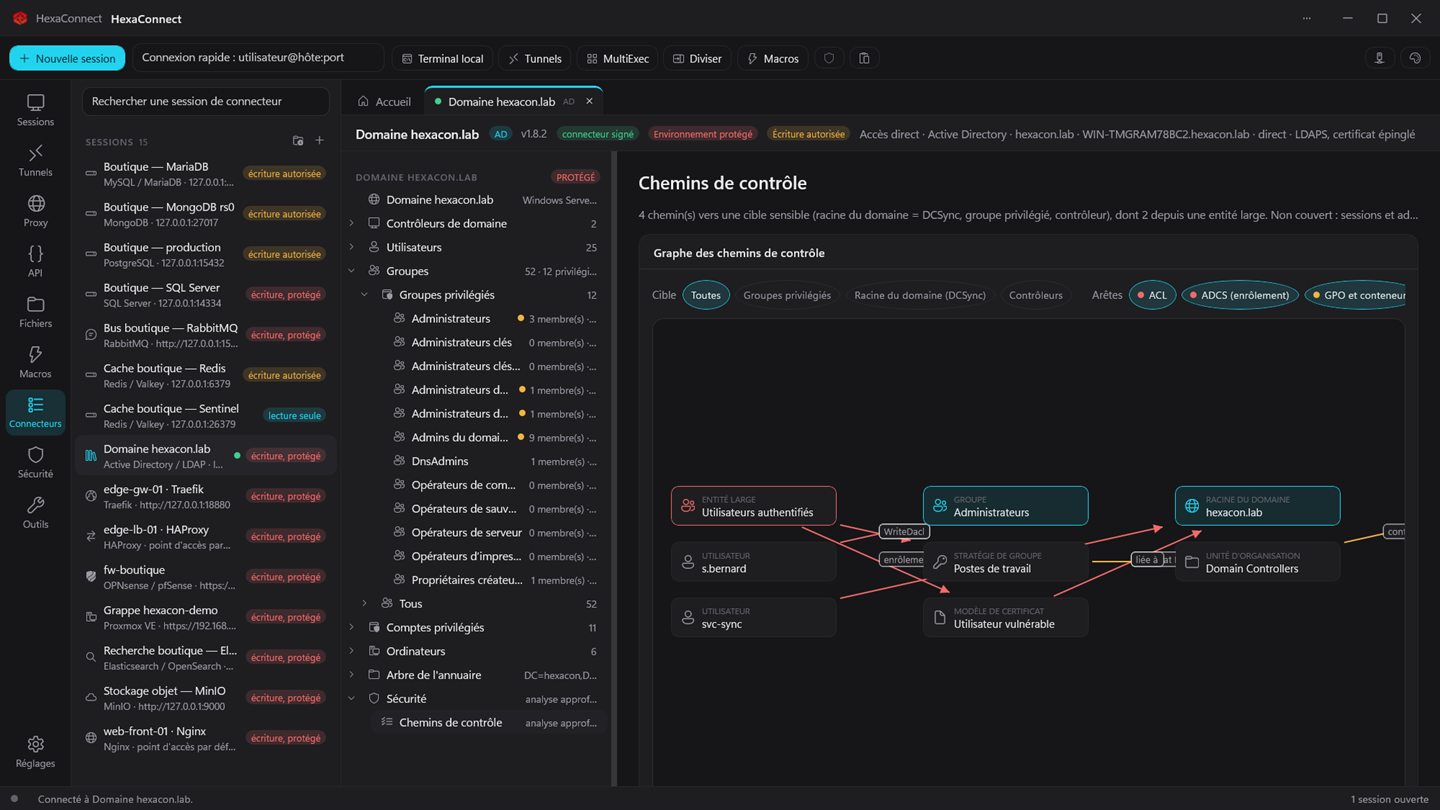
Active Directory / LDAP : Control paths to privileged groups
Control paths to privileged groups
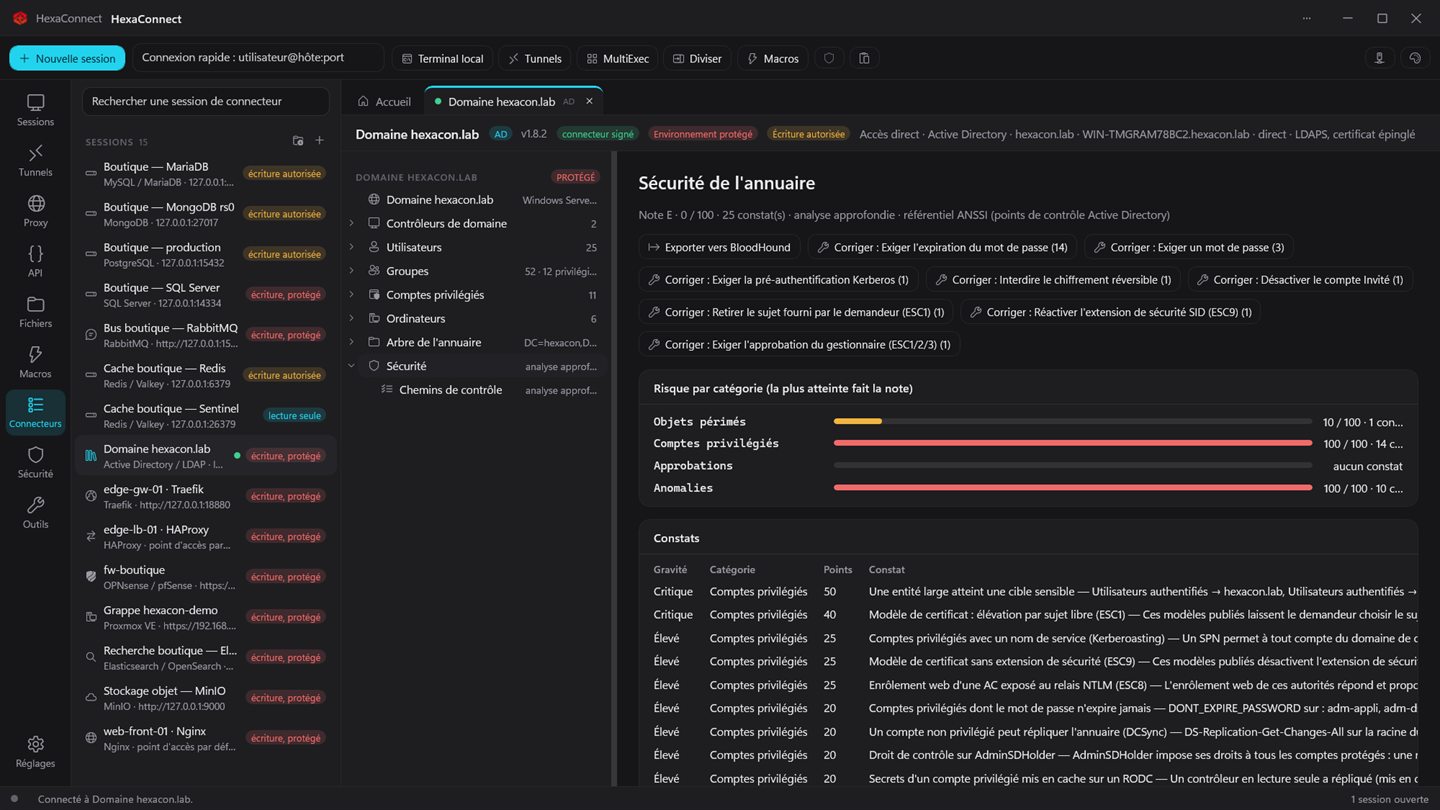
Active Directory / LDAP : Domain security analysis
Domain security analysis
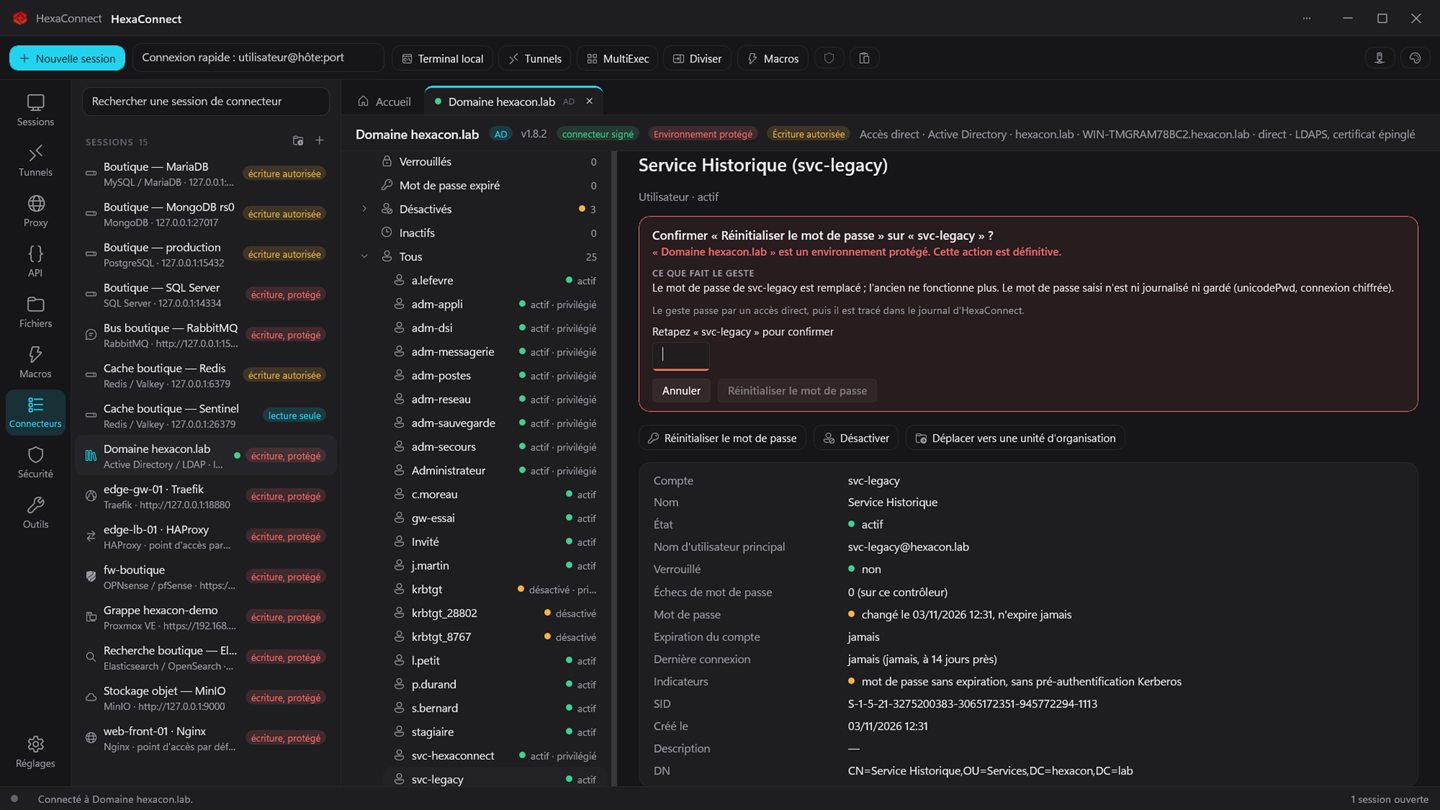
Active Directory / LDAP : Reset a password, name to retype
Reset a password, name to retype
Resume the slideshow
Discovery

What you see

  • Domain, FSMO roles, domain controllers and replication
  • Locked, expired, disabled or inactive accounts
  • Privileged groups and accounts, nested groups included
  • Directory tree, secrets masked
  • Security analysis: surface with Discovery, ACLs and control paths with Pro
Pro

Everyday actions

  • Unlock an account
  • Reset a password (never logged)
  • Disable or re-enable an account
  • Manage a group's members; move to an organizational unit

Console

LDAP query in a tab, secrets masked.

Access

LDAPS or StartTLS, never in clear text; Kerberos, NTLM or simple bind; direct, tunnel, VPN or SSH session; password in the vault.

Plan

Read with Discovery, actions with Pro or Enterprise.

Available

Driver and license

System.DirectoryServices.Protocols (MIT)

Documentation

Getting started

  1. Create an Active Directory / LDAP session: domain controller or directory, base.
  2. Choose LDAPS (default) or StartTLS; never a clear-text bind.
  3. Kerberos, NTLM or simple bind authentication; password in the vault.
  4. Choose the security analysis level: surface, standard or in-depth.

Requirements

Active Directory (Windows Server 2012 R2 and later), OpenLDAP, 389-DS.

Recommended account

A domain account is enough for reading; delegation on the target OUs for actions.

Good to know

A reset password is never logged; a privileged account always asks you to retype its name.

Connector documentation →

Trademarks mentioned belong to their respective owners; their mention implies neither partnership nor endorsement.