What you see
- Process: version, connections, throughput
- Frontends: sessions, 4xx and 5xx errors
- Backends and servers: UP, DOWN, DRAIN, MAINT, weight, response time
- Health checks, stick tables, loaded certificates
- haproxy.cfg, passwords masked
Connector catalog › Proxies and load balancing
HAProxy frontends, backends and servers, through its runtime socket.
Install it from HexaConnect's Connectors view.
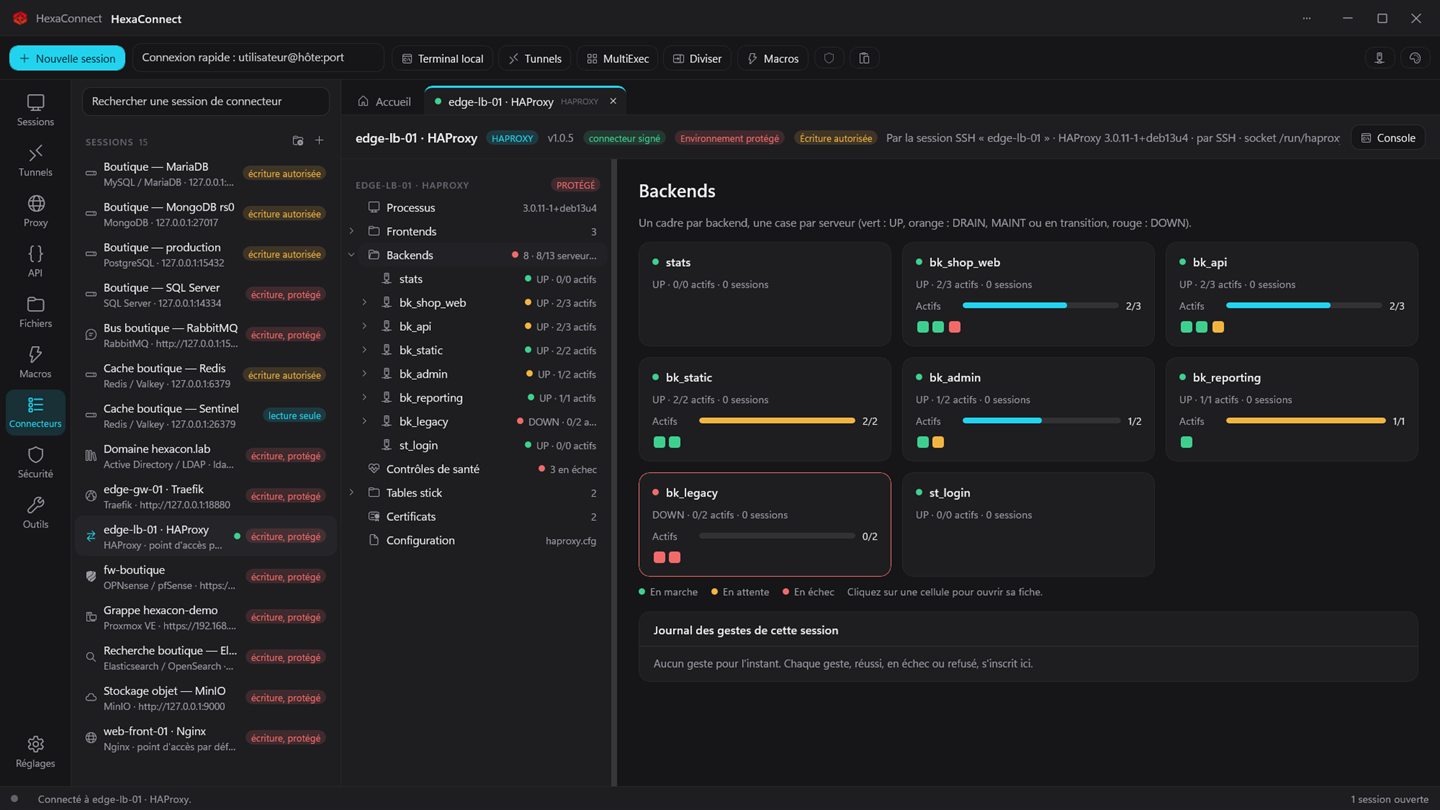
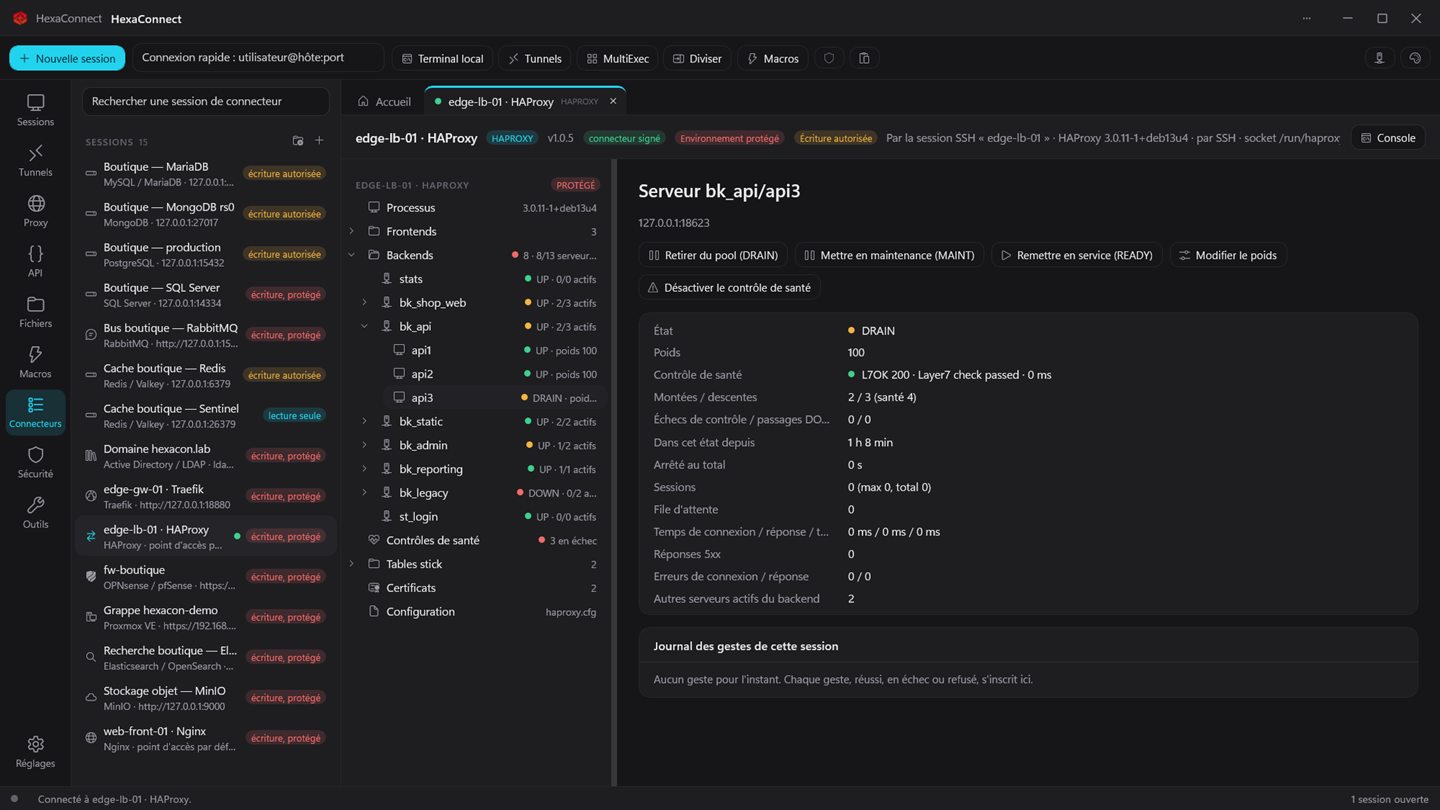
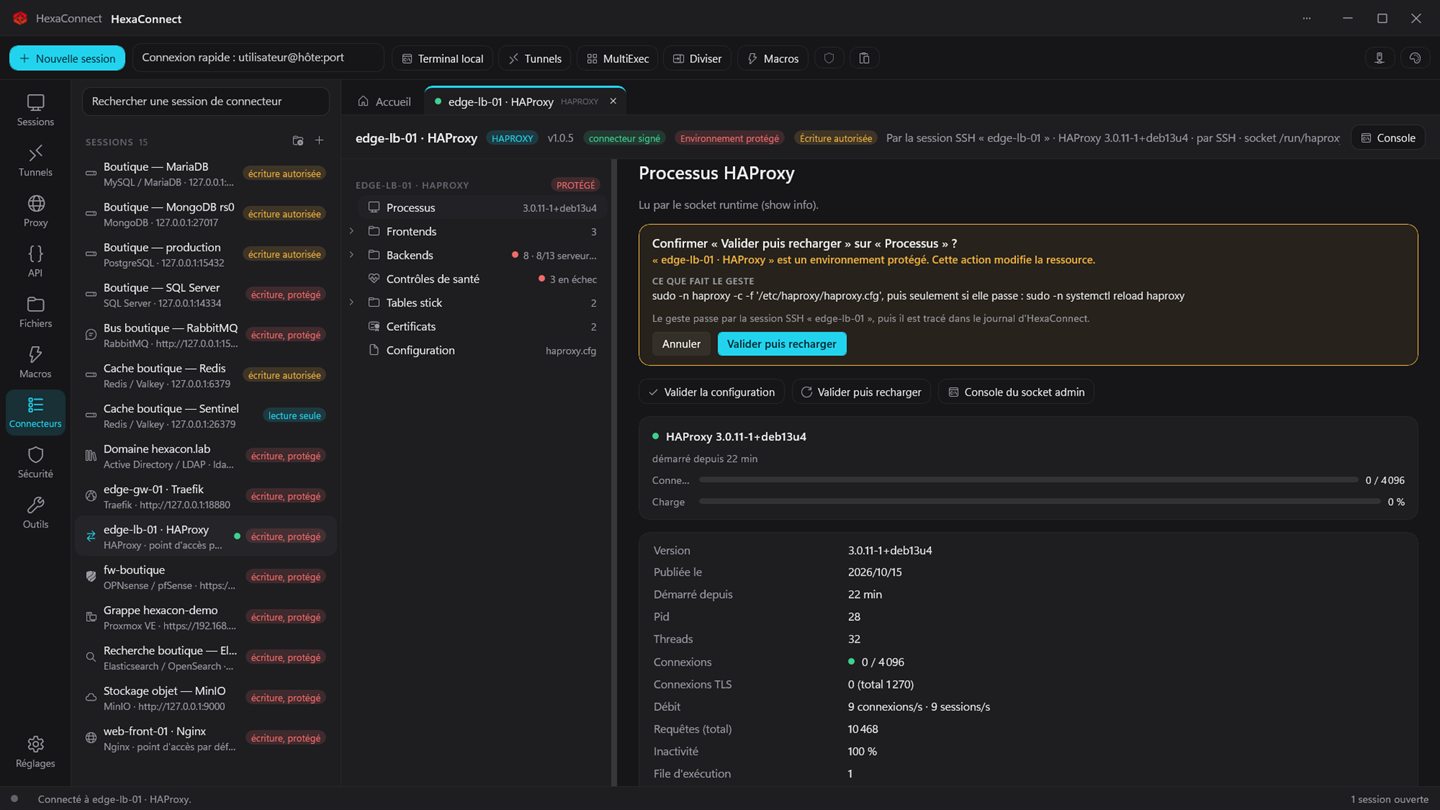
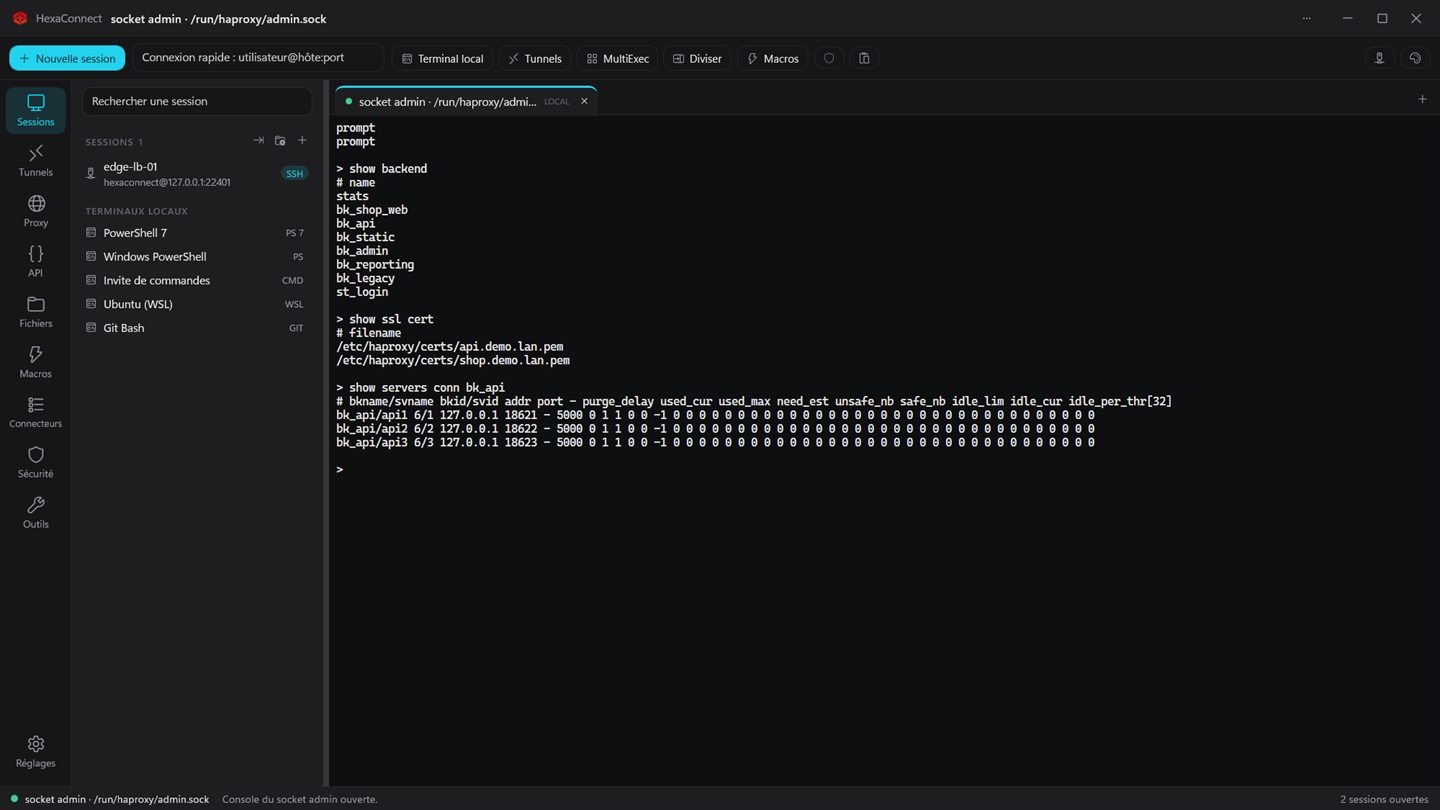
Admin socket in a tab.
Runtime socket over the SSH session; permissions through the haproxy group or a sudo limited to the connector's commands.
Read with Discovery, actions with Pro or Enterprise.
AvailableNo third-party driver: Massive Dynamic code.
HAProxy 2.4 and later, runtime socket at level admin; socat on the server.
haproxy group, or a sudo rule limited to the connector's commands (provided).
Nothing is reloaded if “haproxy -c” fails; no Data Plane API.
Trademarks mentioned belong to their respective owners; their mention implies neither partnership nor endorsement.

