What you see
- System and updates, filter states
- Interfaces and gateways: status, latency, loss
- Rules with their counters, aliases
- WireGuard, OpenVPN, IPsec; DHCP leases
- Security audit: overly broad rules, administration exposed on the WAN…
Connector catalog › Network and security

Rules, gateways, VPN tunnels and log of an OPNsense firewall; pfSense read-only.
Install it from HexaConnect's Connectors view.
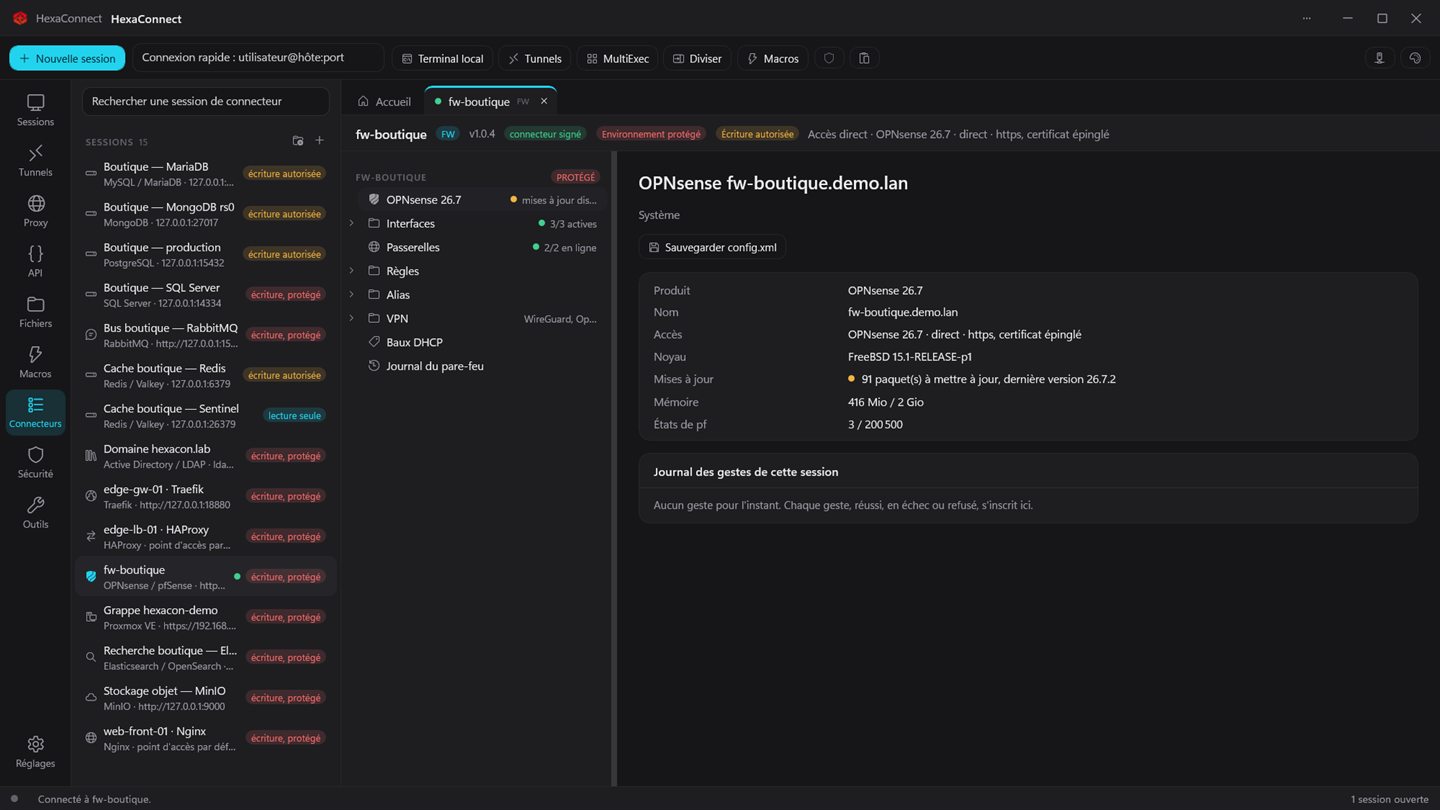
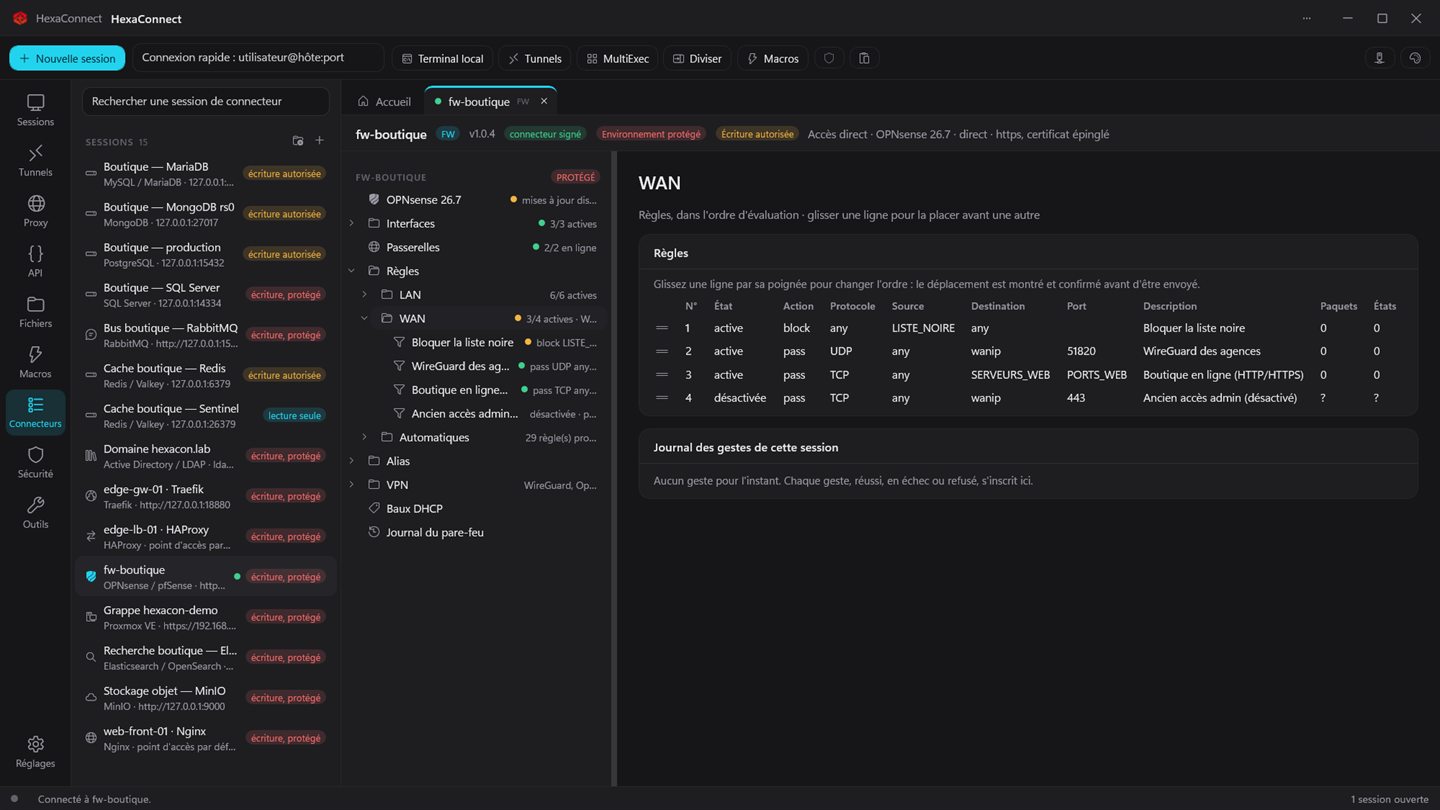
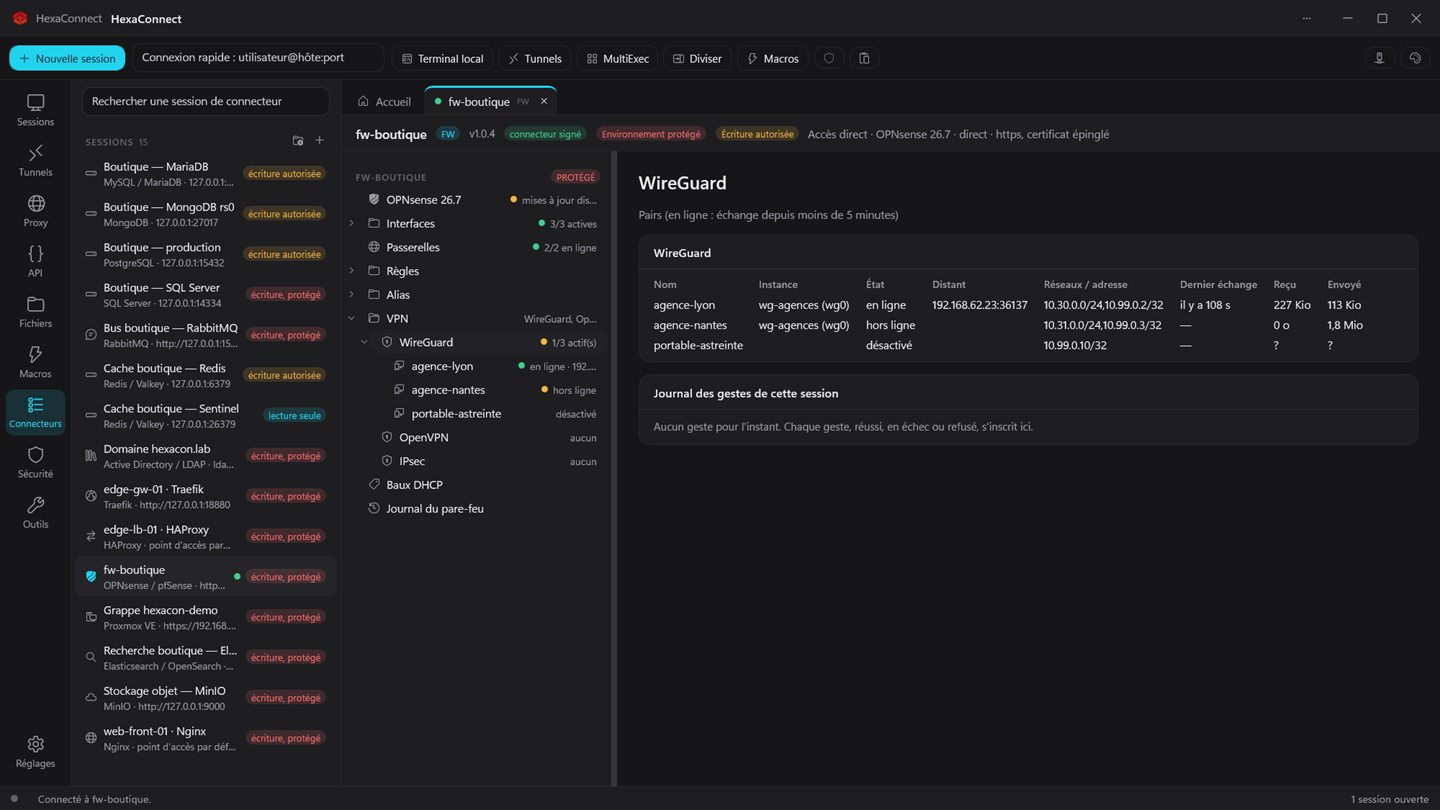
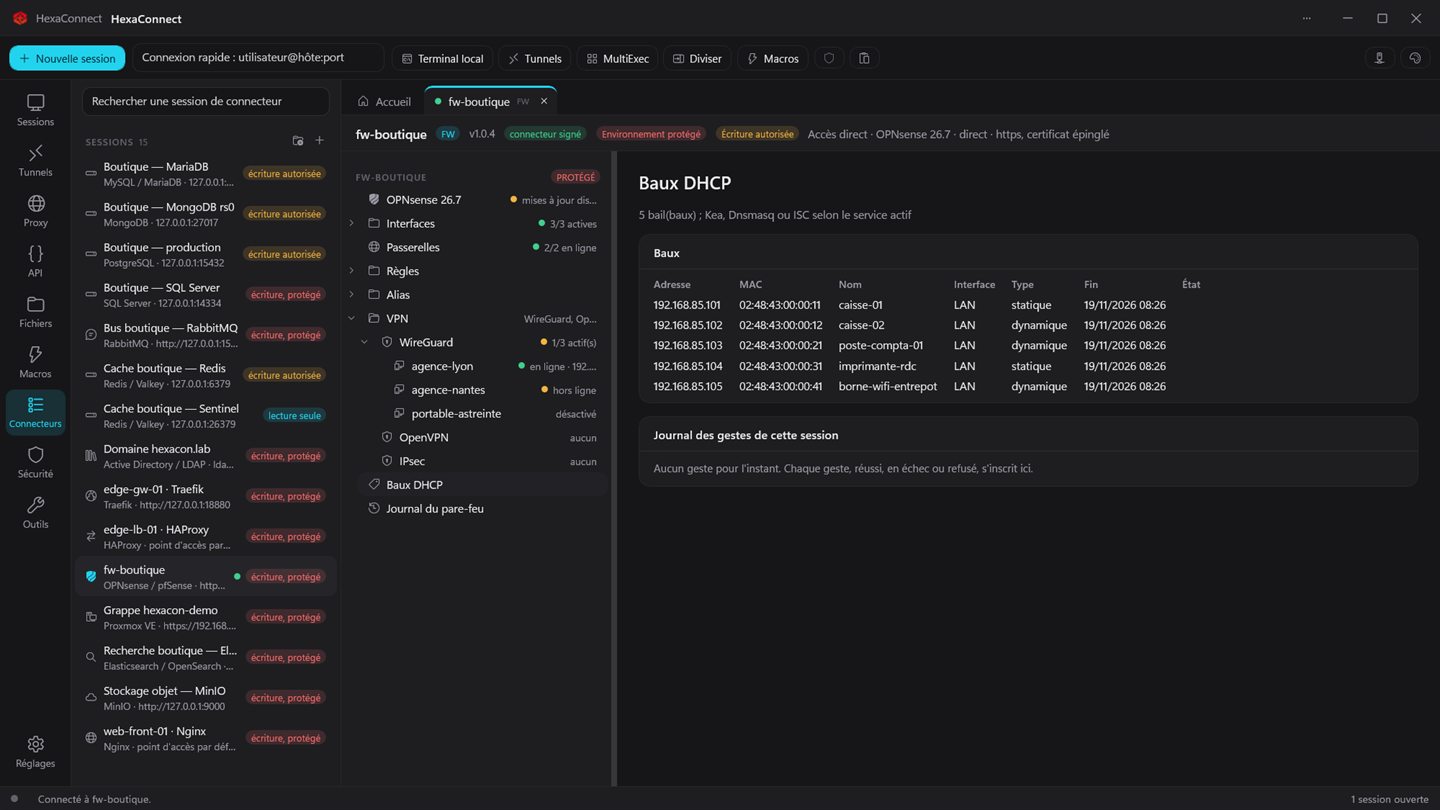
Live firewall log, filterable by address, port, interface or action.
OPNsense: REST API through a tunnel, VPN or SSH session, key in the vault, pinned certificate. pfSense: SSH session.
Read with Discovery, actions with Pro or Enterprise.
AvailableNo third-party driver: Massive Dynamic code.
OPNsense 24.7 and later (tested on 26.7); pfSense 2.7 and later over SSH.
OPNsense: API key and secret of a dedicated user; pfSense: admin SSH account.
pfSense has no official API: reading, config.xml backup and log only.
Manage your Stormshield Network Security firewalls from HexaConnect, with an exact preview of every change before it is applied.
Full details →Manage your Fortinet firewalls through the FortiOS REST API, previewing every change before it is applied.
Full details → Not available yet
Manage your Palo Alto Networks firewalls from HexaConnect, without committing a change you have not seen.
Full details → Available soon
Read your Cisco IOS and IOS XE switches and routers, and see what was never saved before you save it.
Full details → Available
Your MikroTik routers on RouterOS 7 through the REST API: firewall and NAT rules with their counters, exposed services and exported configuration, without Winbox.
Full details →Run your Wazuh SIEM from HexaConnect and send it HexaConnect's own log.
Full details →Your Hak5 and O.MG devices in HexaConnect: WiFi Pineapple Pager, Shark Jack, O.MG Cable, Plug and Programmer, with the DuckyScript studio.
Full details →Operator console for your authorized penetration-testing C2 servers: Sliver, Mythic, Havoc, Armitage. HexaConnect drives a server already in place, like its native console; it builds no implant and no payload.
Full details →Your computer's Arduino IDE, driven by arduino-cli: write a sketch, pick the board, compile and upload, then watch the board on the serial monitor. arduino-cli is never bundled: it is installed on demand, or you point to an existing executable.
Full details →Trademarks mentioned belong to their respective owners; their mention implies neither partnership nor endorsement.